Android apps, files, and calls on Mac
Use Android apps on your Mac, manage files in Finder, and take calls at your desk
Install the Android companion app to use with AndroMeld
Get it on Google PlaymacOS 15+ · Android 12+ · Meld Mode needs Android 14+
Android appsEach one in its own resizable window
Android filesManage them natively in Finder
Notifications and clipboardIn sync across your phone and Mac
App mirroring
Like Mac apps, powered by your phone
One window per app
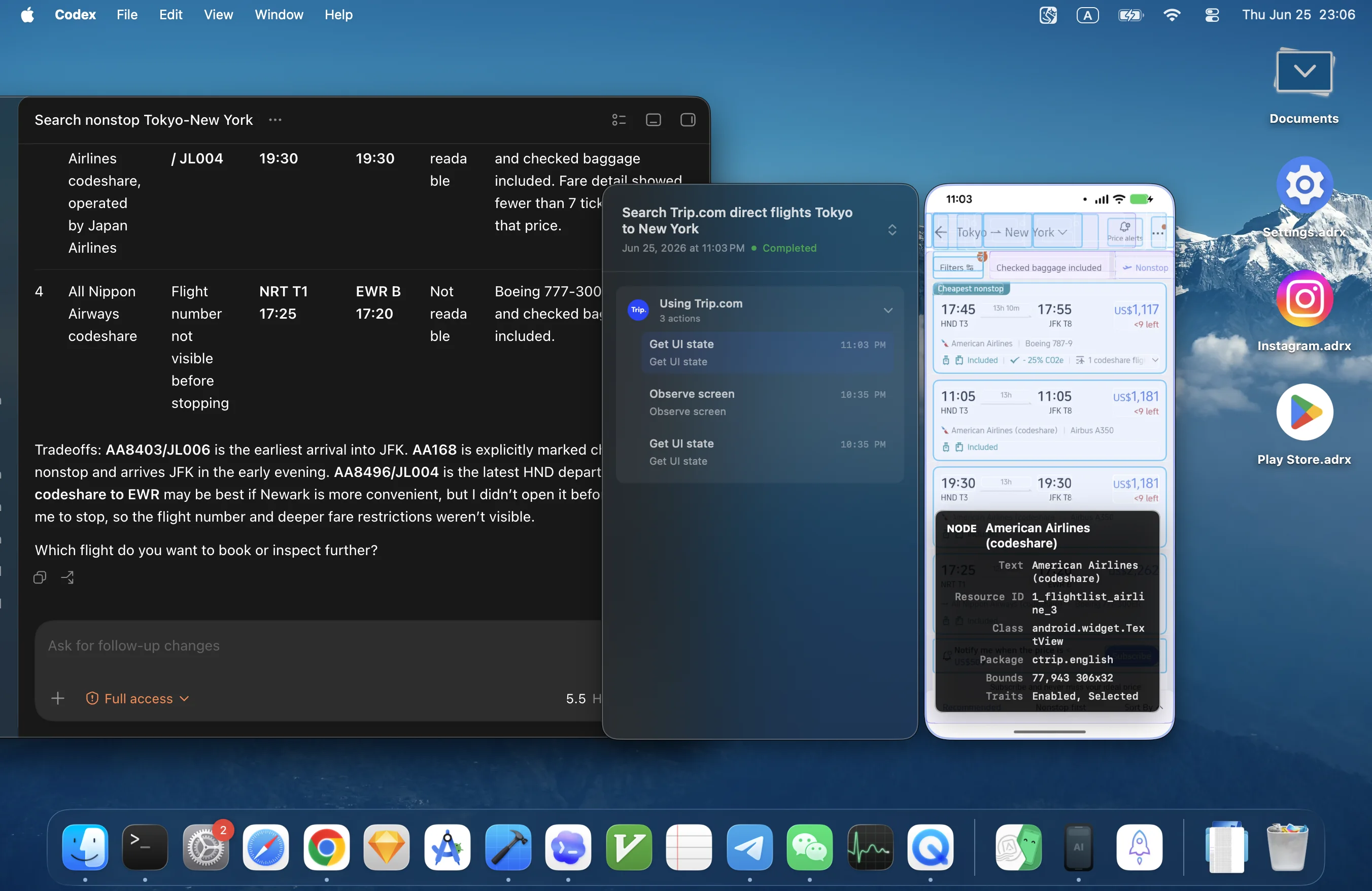
Open each Android app directly from your phone in its own resizable window, with low-latency screen and audio, without an Android emulator
Trackpad gestures
Navigate with multi-finger swipes, just like in a native Mac app
Spotlight launch
Search Android apps in Spotlight and open them straight into a Mac window
Handoff
Hand off an app you were using on the phone and keep going on your Mac
Finder integration
Your phone is a folder now
- Access your Android files natively in Finder over USB or Wi-Fi
- Rename, copy, and move with the Mac shortcuts you already use
- Explore storage by folder and app, find large files, and choose what to remove. Browse photos, albums, and storage volumes in Finder
- Mac system files like .DS_Store are filtered out automatically
Need help connecting? Follow the Android setup guide
Continuity
Notifications and clipboard, in sync
-
Notifications on Mac
Android notifications show up in Notification Center as they arrive, so you can copy a verification code straight from the banner
-
Two-way clipboard
Copy on one device, paste on the other. Text and images, both directions
-
Drag & drop to apps
Drop Mac files into the current Android app, and open Android links in your Mac browser
Camera, calls, and widgets
Your phone, at your desk
Use Android as a Mac webcam
Choose your phone’s front or back camera in Zoom, FaceTime, and other Mac apps. Requires Android 12+ and the AndroMeld camera extension
Make and receive calls on Mac
Answer, dial, mute, and switch a call back to your phone. Mac microphone and speaker support depends on the phone. Requires Android 13+
Android widgets on your desktop
Add widgets from your phone to the Mac desktop. Pin your frequently used apps, add desktop shortcuts, or launch them from Spotlight. Requires Android 14+
See what fills your phone
Explore storage by folder and app, find large files, and choose what to remove. Browse photos, albums, and storage volumes in Finder
MCP support
Let AI drive your Android
- Enable MCP control in Settings and copy the client configuration
- Inspect the phone screen, launch apps, tap, swipe, and type
- Review AI activity and stop control from AndroMeld
Read the MCP setup guide in the Help Center
Essentials
Connect by cable or wirelessly
APK install
Inspect permissions and compatibility before you install. APK, APKS, APKM, and XAPK supported
Connect by cable or wirelessly
Use USB, pair over Wi-Fi, or discover a nearby phone over Bluetooth. Nearby connection and hotspot controls require Android 14+
Reach your phone on another network
Use Remote Connection for a previously paired phone. When a direct connection is unavailable, configure relay service on the phone. Relay traffic is separate from Mac Pro
AndroMeld WebNew
Try it right in your browser
AndroMeld Web lets you open and control apps from your Android phone in any browser, with no desktop software to install
- Runs with zero desktop installs
- Open directly in any browser
- Connect over USB or wirelessly
- Widgets in the browser
Pricing
Start free, upgrade when you need more
Try all Mac features with 30 window launches and 5 GB of Finder writes each week. Pro removes these two limits. Choose a subscription or a one-time lifetime purchase
Quarterly
$3.99/ 3 months
Starter plan, cancel anytime
Yearly
$10.99/ year
Renews yearly; cancel anytime
Lifetime
$21.99one-time
One purchase, lifetime access
Billed through the Mac App Store. U.S. store pricing shown. Your local price appears at checkout. See how the weekly allowance works
| Free | Pro | |
|---|---|---|
| Browse Android files in Finder | Unlimited | Unlimited |
| Write files to Android from Finder | 5 GB / week | Unlimited |
| Phone screen mirroring | 30 starts / week | Unlimited |
| Meld Mode windows | Shared starts | Unlimited |
| Spotlight search, add apps to Desktop | Unlimited | Unlimited |
| Notifications and clipboard sync | Unlimited | Unlimited |
| APK, APKS, APKM, and XAPK install | Unlimited | Unlimited |
| USB and Wi-Fi with auto reconnect | ✓ | ✓ |
| Built-in MCP server for AI agents | ✓ | ✓ |
| Use Android as a Mac webcam | ✓ | ✓ |
| Make and receive calls on Mac | ✓ | ✓ |
| Android widgets on your desktop | ✓ | ✓ |
| See what fills your phone | ✓ | ✓ |
* Mirroring sessions already open stay usable after the weekly allowance runs out
* Transfers already in progress may finish past the limit, so files are never left incomplete
FAQ
Frequently asked questions
What is AndroMeld?
AndroMeld connects a real Android phone to your Mac. Open the apps already installed on the phone, transfer files in Finder, sync notifications and clipboard, add widgets, and use the phone’s camera. macOS 15+ and Android 12+ are required; Meld Mode and nearby discovery need Android 14+, and calls need Android 13+ with device-dependent audio support.
Do I need an emulator to use Android apps on a Mac?
AndroMeld works without an emulator. Instead of running a second copy of Android on your Mac, it mirrors and controls the real phone in your pocket, so the apps, logins, and notifications are the ones you already use. Each app opens in its own resizable Mac window with low-latency screen and audio.
How do I connect my Android phone to my Mac?
Install AndroMeld on Mac and enable USB debugging on the phone. Connect a data cable, approve the computer on Android, and install the helper when AndroMeld asks. For wireless use, pair through the app’s Wi-Fi setup. On Android 14+, you can also activate the phone app with Wireless debugging or Shizuku and approve a nearby connection. No root access is required.
Does AndroMeld replace Android File Transfer?
Use AndroMeld to transfer Android files in Finder over USB or Wi-Fi. Browse, copy, move, and rename files without a separate file-transfer window.
How do I move files between my Mac and my phone?
Choose Send to Android in a Mac app’s share menu, or drop files into a phone app window. On Android 16+, drag files out of Android apps that support drag and drop, such as Google Photos or Files by Google.
What does the free version include?
The Mac allowance resets Monday at 00:00 GMT+8. Phone Screen and Meld Mode share 30 new windows per week; focusing an existing window or reconnecting it does not count again. Finder writes to Android share 5 GB per week; reading is unlimited. Open windows stay usable and transfers in progress finish. Remote relay traffic is a separate Android service.
Can I install APK files on my phone?
Inspect permissions and compatibility before you install. APK, APKS, APKM, and XAPK supported
Can I read and send text messages from my Mac?
Yes. Use your phone's own messaging app directly in a Mac window. Incoming messages also appear in Notification Center, where you can copy verification codes straight from the notification.
Is my data private and secure?
USB and local network connections need no account. Remote access can use an optional relay, configured on Android with a Google account or your own server. Relay traffic is billed separately from Mac Pro
Which devices does AndroMeld support?
AndroMeld connects a real Android phone to your Mac. Open the apps already installed on the phone, transfer files in Finder, sync notifications and clipboard, add widgets, and use the phone’s camera. macOS 15+ and Android 12+ are required; Meld Mode and nearby discovery need Android 14+, and calls need Android 13+ with device-dependent audio support.
Still have questions? Visit the Help Center or jump to troubleshooting